Partial Refund - Res Card with One Reservation that is Paid in Full or Final Invoice Issued
Step 1: Open reservation and adjust the price to the new lower amount. Do NOT change Booking Status. This is still a valid booking.
Step 2: Review Res Card totals from main screen - verify accuracy (it will show a minus amount).

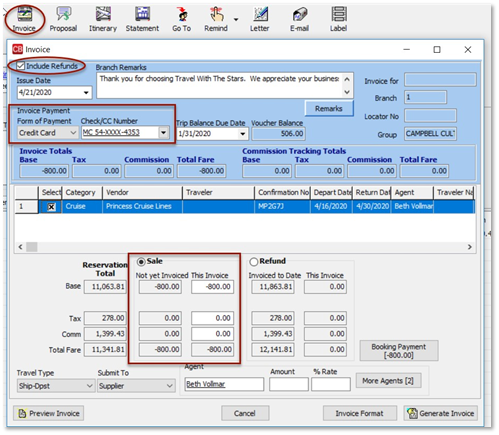
Step 3: Select Generate Invoice from the tool bar. Complete Invoice Payment fields with the original form of payment.
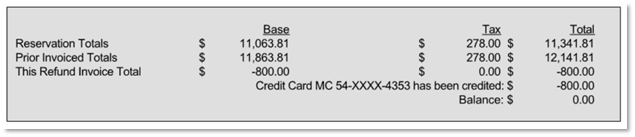
Step 4: In the Reservation Total, click on the Sale option. This field will then populate with the refunded amount due back to the customer. Note: If you select Refund, it will be the full amount of the sale. In this case, it's only the partial refund.