
There are two ways to tag a Marketing Code to multiple profiles at once. You can use Global Modify or use Add Marketing Code.
Global Modify:
To tag or check a Marketing Code to multiple profiles at once, first run a query for the Profiles you wish to mark with the code.
IMPORTANT: It is suggested you backup your database before performing Global Modify.
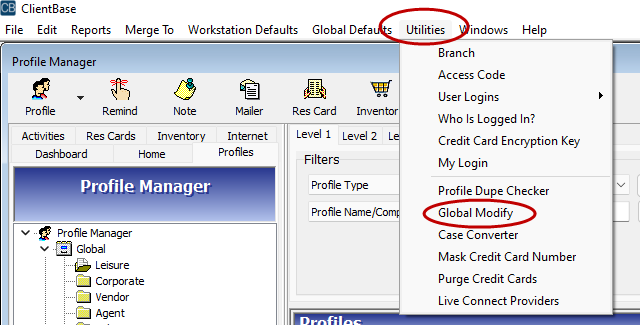
- Go to Utilities > Global Modify
- If Global Modify is grayed out, you do not have the security level to perform this action.
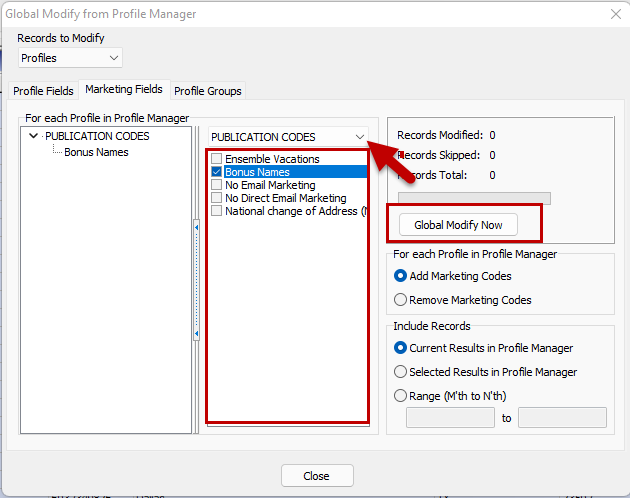
- Select the 'Marketing Fields Tab
- From the dropdown, select the appropriate Marketing Category
- Check the appropriate Marketing Code
- Select Global Modify Now
- Select Yes when prompted "Are you sure you want to Global Modify Now"?
Add Marketing Code:
- Run a query for the Profiles you wish to mark with the code.
- Right click and select "Select All"
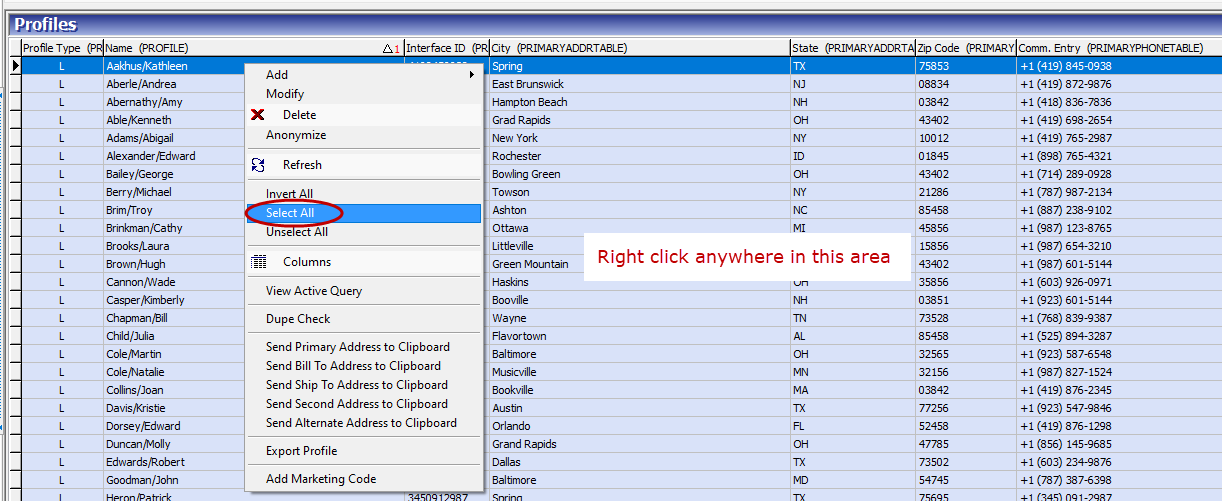
- All the profiles will be selected
- Right Click and select "Add Marketing Code"
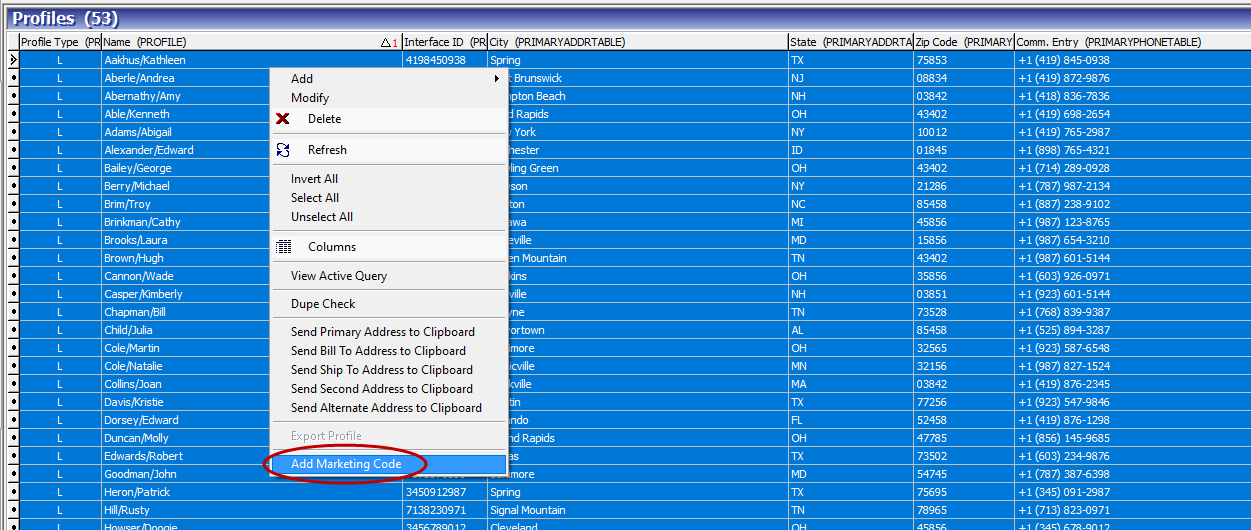
- Check the appropriate Marketing Code (move down if needed to find the appropriate code)
- Select OK
