How to Use CrossCheck Travel Enterprise
CrossCheck Travel Enterprise can be used in many different ways depending on the Client type and your agency policies:
- Repeat client with a Galileo booking
- One off client with a Travelport+ booking
- Non-Travelport+ transactions
- Corporate client
- Basic financial processing
Host Booking - Repeat Client
If you have a repeat client booking an air segment:
- Book the Air segment
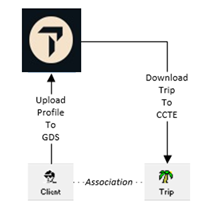
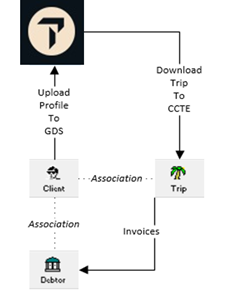
- Open the Client file which stores personal information about a single client and Upload this information into Travelport+ where a PNR shell will be created.
- Book the Car and Hotel sectors required and Download into the Trip file.
- The passenger's itinerary, quote and statement of account are generated from the Trip file. All accounting procedures relating to the itinerary are generated from the Trip file.
Travelport+ Booking - One Off Client
If a walk-in client wanting an air booking visits your agency and you do not wish to create a Client file: (e.g. an overseas tourist booking BNE -ASP), the process could begin in the Travelport+ host system and be downloaded to the Trip file.
Non-GDS/Offline Transactions
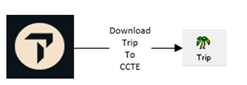
For example, a Cruise, Rail and Insurance booking information about the client can be transferred to the Trip file without the upload and download process by using the Trip Creation Wizard.
Corporate Client
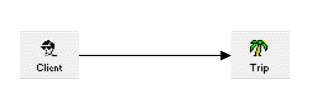
A Client file may have a Debtor attached and then the booking can be processed with or without upload and download depending on the type of segments required. The costs for the travel can be passed back to the Debtor by invoice from the Trip file.
Basic Financial Processing
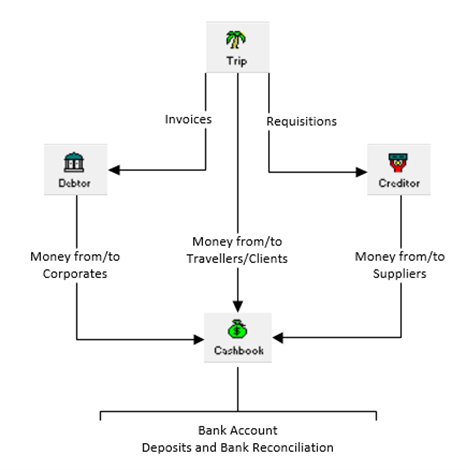
The financial processing takes place from the Trip file, and all transaction flow in and out of the Cashbook.
Debtor and Creditor payments and refunds are received in the Cashbook all transactions are cross referenced back to the Trip file.