The General Ledger Item Analysis function applies to any accounting entry in any module.
Click on any transaction in an accounting screen and press Shift F12 to display the General Ledger Item Analysis. This information can be saved to another application or printed by clicking on the buttons in the bottom left of this window.
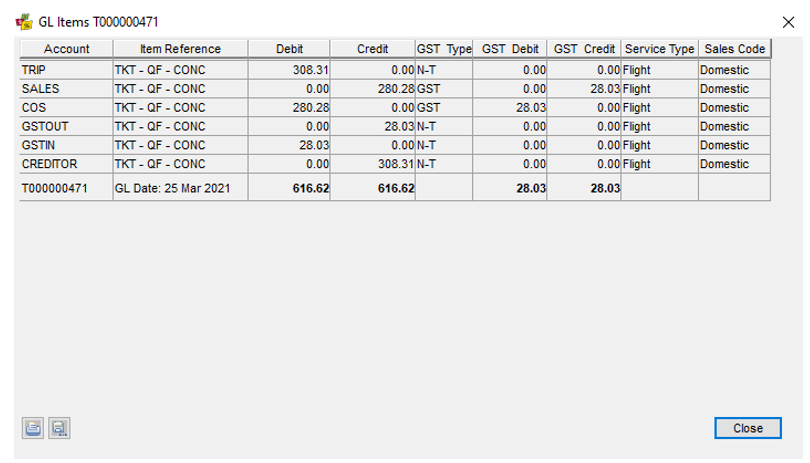
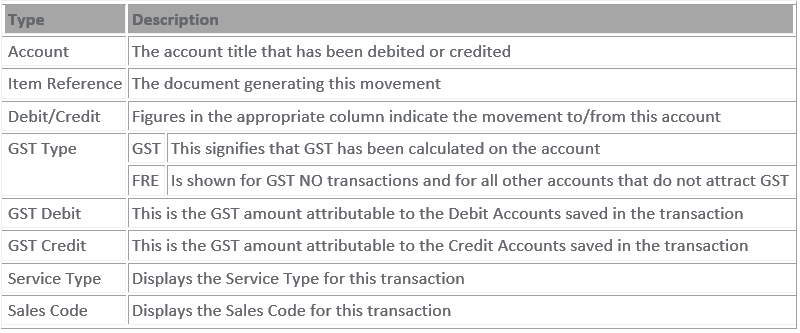
This screen provides the following information: