Consultant Options
From Tools/Consultant it is possible to, provided Supervisor has given user Group the ability to amend where Documents are saved to.
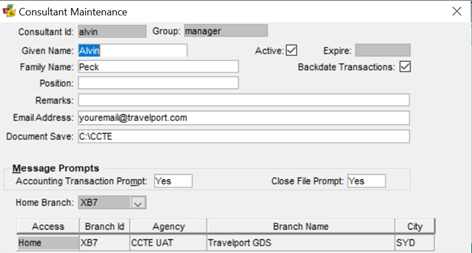
It is also possible to add or change Printers
Click on Printers button

Click on Select All
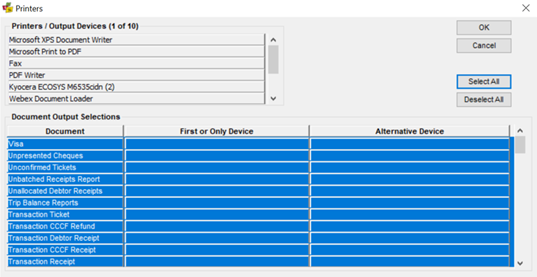
Click on Printer in top part of screen on the printer you wish to use, an icon will appear drag the icon down to First or Only Device
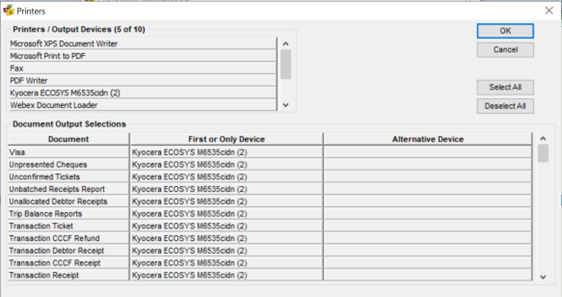
If you have an Alternate Device you wish to print to, repeat Steps 2 and 3 above
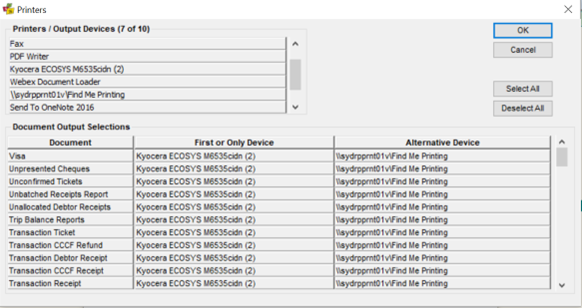
Click OK. Note: There is no need to have an Alternate Device setup, it is only an additional option.
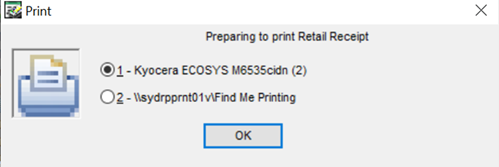
If you need to change your printer at a later time, Click on Select All, then Click on the printer you require and drag the icon into the required position. Note: If two printers are selected and Print is requested, a screen will become available to select the desired printer.