
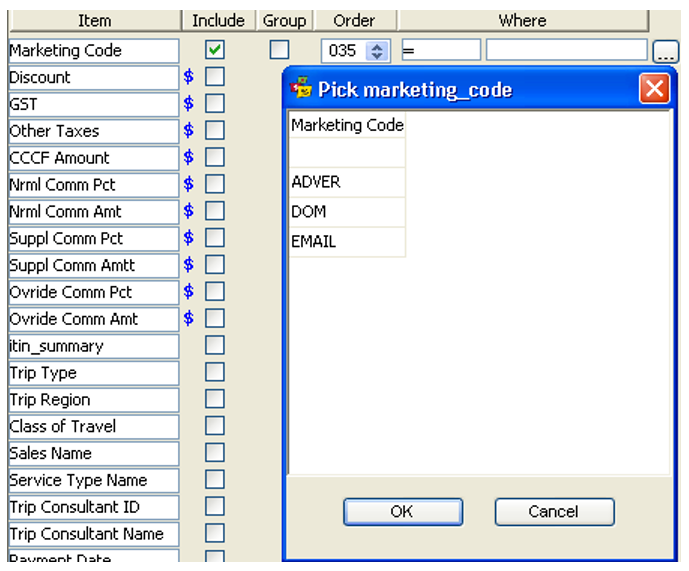
The user can further tailor your search by making an entry in the Where column
- To use the Where columns click the blank box under the Where column to reveal a drop down list.
- Click on the equals (=) sign and another fill-in box appears.
- Click on the
 icon to open a selection box, or type in the code required.
 - Select and click OK.
The principals demonstrated above apply to the pre-set Sales filter folders as well as to the Design your own Report folder.