
Transaction Search
The Transaction Search functionality allows for the retrieval of numbered accounting transactions using the Transaction ID, Ticket Number or Cheque Number buttons.
To access the Transaction search window click on the Transaction Search icon on the MyCCT toolbar or select it from Options on the menu bar.

Transaction ID
This functionality can be used to locate any accountable document using the CCTE allocated ID.
Enter the Transaction ID into the field provided. If the ID has several zeros, these do not need to be entered i.e. R000000014 can be entered as R14.
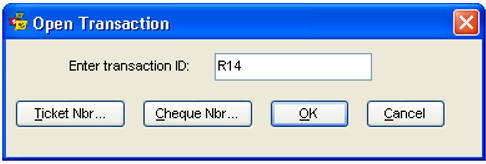
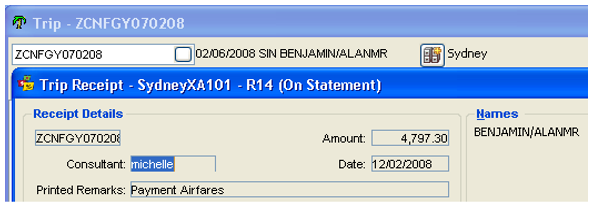
Click OK to complete the search and open the transaction. The actual transaction will be opened along with any associated system files in the background.
Ticket Search
Open the Transaction search window and click the Ticket Nbr button to display the ticket search screen. A transaction can be retrieved by entering the full ticket number (not including Airline Code) and clicking OK, or by entering at least the first five digits and clicking OK to display a matching list of ticket numbers.
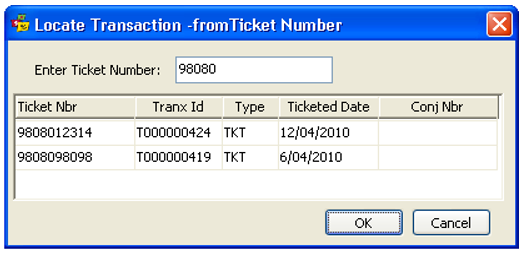
Highlight the required transaction from the list and click OK (or double click the item) and the related Ticket Requisition will be displayed.
Cheque Search
Open the Transaction search window and click the Cheque Nbr button to display the cheque search screen.
Enter the entire cheque number if known and click OK, or enter the first four digits of the cheque number to display a list of matching cheques.
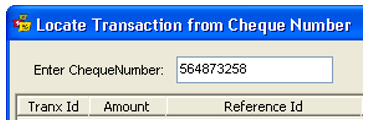
The payment screen will be opened showing the cheque number entered when the entire number has been entered. If the first four digits were entered a list of transactions may be displayed highlight the required item and click OK to open the transaction.