
AgencyLevel: All branches will have the same Prefix/Suffix text and alignment from the SETUP-ONLY Documents tab, See CCTE Accounts Management Multi Branch Guide, Answer 42425 in Ask Travelport - unless Documents have been set to individual Branches.
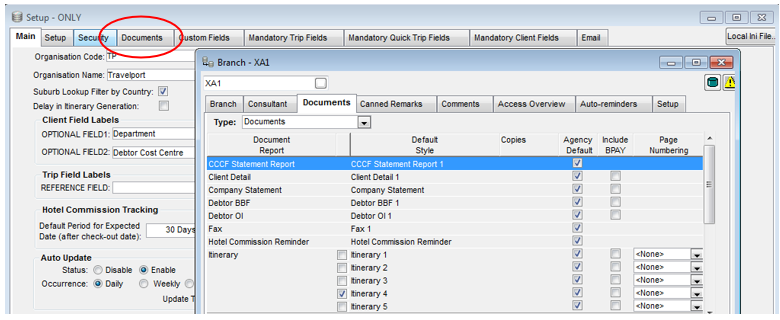
Branch Level: A tab “Documents” is available on the “Branch” screen, any Prefix/Suffix created for a document from this screen will only be linked to the branch the user is in.
A checkbox “Agency default” is on the “Branch” screen to allow the option to select a Prefix/Suffix from the “Setup-Only” screen (Agency Level). If this checkbox is selected (checked) for a document, then Prefix/Suffixes will be selected from the “Setup-Only” Screen and Prefix/Suffix text boxes on the “Branch” screen will be disabled.
For a Single Branch agency, “Agency default” remains ticked within “Branch” screen so that Prefix/Suffix are created on documents using this default setting.
To change the default for a Branch when using Multi Branching, please see CCTE Accounts Management Multi Branch Guide, Answer 42425 in Ask Travelport. To enable the Prefix/Suffix text box for individual branches, the “Agency default” box would need to be unticked for that document.
By default, Prefix/Suffixes will be selected from “Setup-Only” screen (Agency level) and all the checkboxes
under “Agency default” will be checked (selected).
If a document on the Branch screen “Agency default” checkbox is checked (selected) and Prefix/Suffix is not setup for that document at the Agency level, then the prefix/Suffix will be blank at the branch level.
See Prefix\Suffix within CCTE Accounts Management Guide.