
Skip To:
Credit Notes
Credit Notes from Refund Type Ticket/Cheque Requisitions
Credit Notes from Quotes
Reversing Credit Notes
Credit Notes
Credit Notes are created to refund monies to debtor accounts. They are created automatically when reversing an Invoice or can be raised against previously created Refund type Ticket and Cheque Requisitions or Refund to Client Quotes.
Credit Notes from Refund Type Ticket/Cheque Requisitions
- Open the relevant Trip file, select the Accounting tab and click New (or Ctrl+N) and choose Credit Note
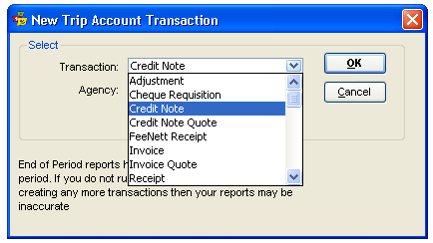
- Click on OK to open an input screen.
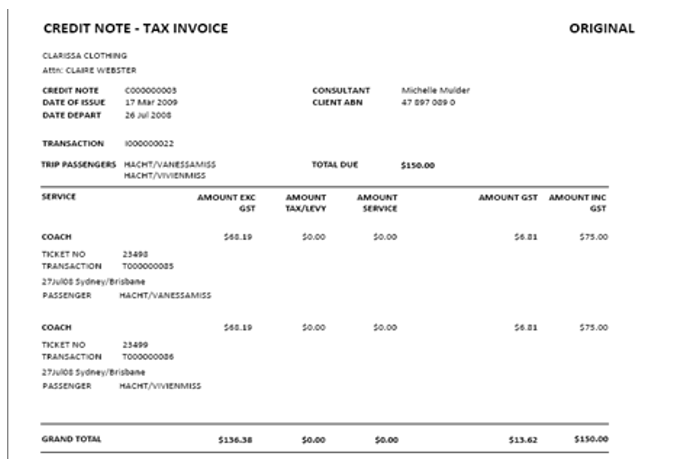
- The Credit Note window displays with a system generated Credit Note number, Date of Issue, Due Date and Debtor details (if not system generated, add the Debtor by double clicking in this field or pressing the F12 key and make your selection).
- If a relevant invoice exists, it can be selected from the Invoice drop-down.
- An Invoice Remark can be added in the free text input field if required.
- The Amount field is system generated and includes a total of all Credit Note Items to be included on the Credit Note (indicated by a tick).
- Select the details to be included with each item and click OK to generate the Credit Note. When prompted to save the transaction, select Yes.
- The resulting accounting transactions are displayed on both the Trip files Accounting tab and on the relevant Debtor Accounting tab.
Credit Notes from Quotes
This option allows Credit Notes to be raised using the Refund to Client Quote information stored on the Trip file. This allows a Credit Note to be created prior to completing a Refund Ticket / Cheque Requisition or Creditor refund, or where the full amount is not being refunded back to the debtor (e.g. the client may have paid some monies towards the value and must be refunded).
- Open the required Trip file and select the Accounting tab.
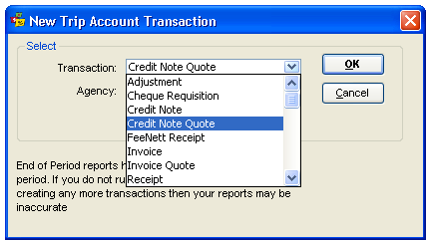
- Click the New toolbar icon (or Ctrl+N) to access the New Trip Account Transaction window and select Credit Note Quote.
- Click on OK to open an input screen.
- Complete the Credit Note quote in the same way as described earlier
Reversing Credit Notes
Reversing of Credit Notes is also permitted, and the process is the same as per the reversal of Invoices. That is, the Reverse button will be available for Credit Notes that are available to be reversed otherwise the Reverse button will be greyed out.