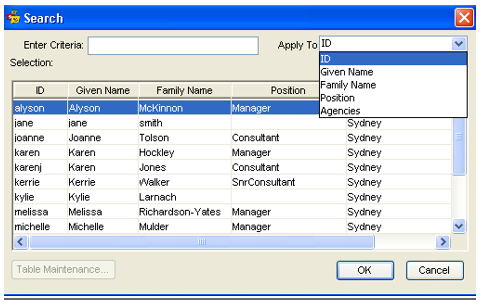
CCTE has pre-emptive text to alleviate the need for scrolling through long lists. On typing the first character/letter the lookup will take them to records starting with that letter, subsequent letters will further refine the search.
In addition if the full code is entered correctly then the search lookup Screen will not open.
The lookup tables that are covered in this feature are Debtor, Creditor, Supplier, Client, Trip, Consultant, Suburb, Country, Group Id, Cost Centre and City.
Country code, where applicable will appear as full name, e.g.. AU as Australia
How to Use Lookup Tables
- On all the fields with lookup tables, if a user presses F12 or double clicks then the lookup table screen will pop up.
- If a user enters a value into a field that is sufficient to identify a single record then the look up screen will not open and the field will be populated with the value.
- Both double click and F12 on a lookup table field will have the same functionality.
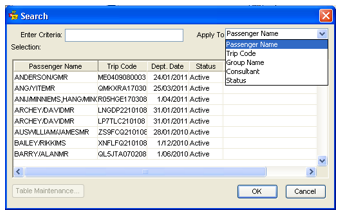
Trip Lookup
“Passenger Name” is the primary default search.
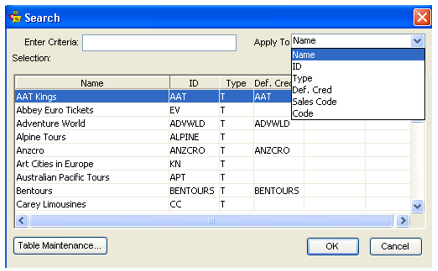
Supplier Lookup
“Supplier Name” is the primary default search.
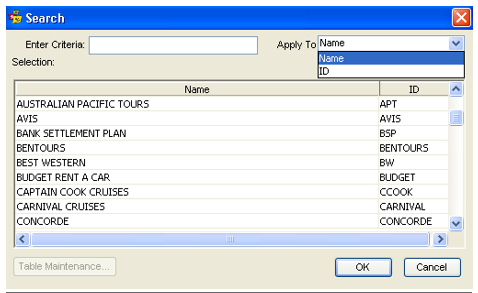
Creditor Lookup
“Creditor Name” is the primary default search.
City Lookup
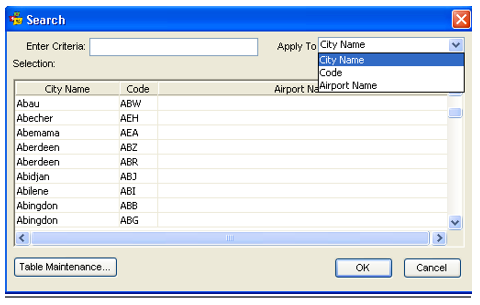
User is able to search based on “City Name”, “Airport Name” and “Code”.
Suburb Lookup
Default search “Suburb” is the primary default search.
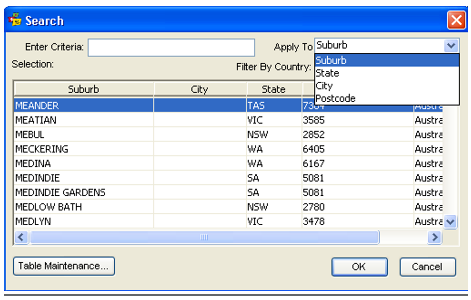
Note: This screen also allows selection for different countries using CrossCheck Travel Enterprise,
i.e. All, Australia, Fiji, New Zealand. If this is changed to another Filter By Country, e.g. New Zealand, those suburbs will become available.
Country Lookup
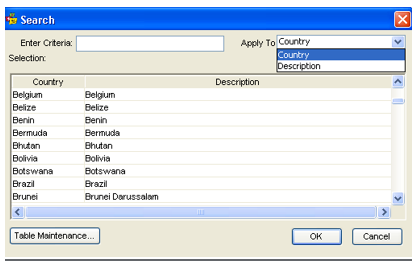
“Country” is the primary default search.
Consultant Lookup
Currently the default search is “Consultant ID” and will remain the primary default search.