
Downloading a Quote from a Filed Fare
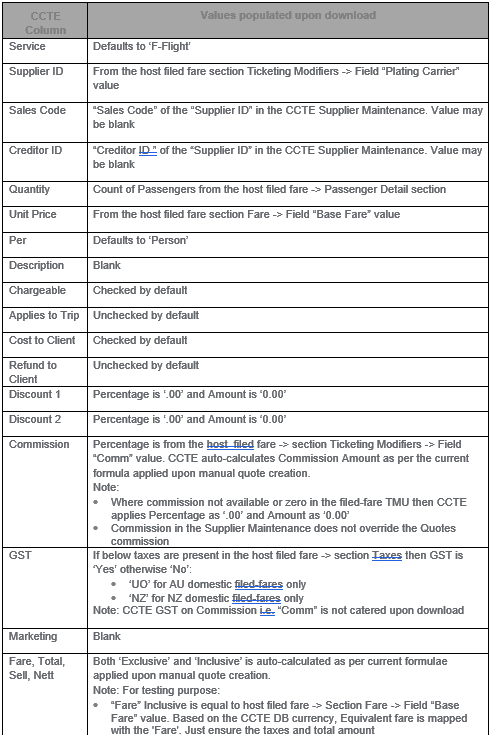
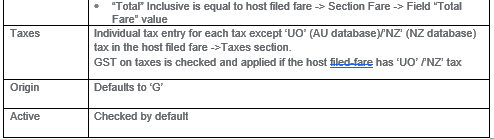
Quotes created on download are linked to the corresponding segments and to the passengers as per the PNR filed fare. Some of the quotes data may not be available in the PNR filed fare, therefore a user will need to manually enter data in those fields.
If the PNR filed fare is ticketed then the corresponding CCTE quote will not be linked to the ticket upon download.
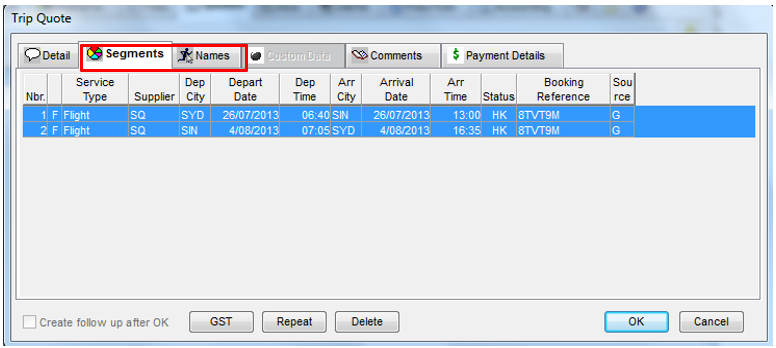
CCTE auto links the segments detailed in the Travelport+ filed fare with Segments and Names within the
Quote section.
Note: In case of transit segment in Travelport+ filed fares, all corresponding downloaded segment are associated with the quote in CCTE (i.e. all segments constituting a transit segment). This is the same as ticket segment association.
Ticket modifier updates (TMU) Commission in the filed fare will only be added to CCTE quotes upon the initial download of the filed fare. It will not be updated upon subsequent downloads of the same filed fare (if there has been no change).
On the subsequent download of the same PNR in which the Filed fare exists:
- If unchanged a new quote is not created.
- Note: CCTE identifies whether the Filed fare is updated.
- If the fare has been updated then it is downloaded to a new quote.
- When a filed fare has been deleted then the corresponding CCTE quote is not deleted in the download process.
CCTE verifies whether the filed fare currency matches the CCTE database currency. If not, then CCTE does not process filed fares for downloading to quotes and the download process continues.
If yes, then the below steps follow:
- Filed fares both ticketed and unticketed are downloaded to CCTE quotes. Individual quotes are created for each filed fare.
- Note: This does not impact the ticket creation once the PNR is ticketed and downloaded.
- Quotes are auto linked to the segments and PAX in CCTE as in the host filed fare.
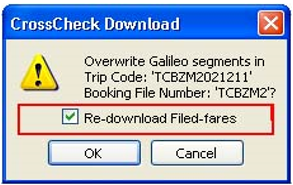
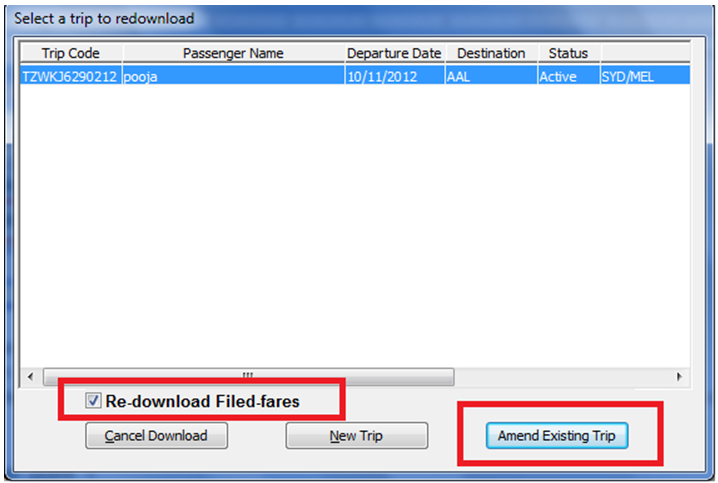
If the checkbox is checked, CCTE redownloads the filed fares to CCTE quotes.
If unchecked, then CCTE does not redownload filed fares to CCTE quotes regardless of any modification.
Note: Upon download ticket creation is not linked to the quote. There will be no impact on the ticket creation where both quote and ticket are created for the ticketed filed fare and commission in both does not match.
When the download of a filed fare from PNR has not been configured by the Supervisor, and custom data is switched on, see Trip Quote Custom Data Tab. When custom data is activated a quote is generated on completion of ticket confirmation. Where a quote already exists, the confirmation of the ticket with custom fields activated will result in a duplication of the quote.
Duplication of quotes is unavoidable as a quote will be created from the filed fare at the time of download and another quote will be generated when the ticket is confirmed. To handle this situation, the existing Quote Maintenance screen (of duplicate quotes) is triggered to allow the user to delete any duplicate quotes.
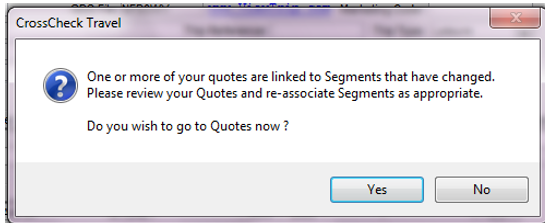
Note: If the original filed fare has been deleted in the GD PNR then CCTE does not delete the corresponding CCTE quote
In addition to above CCTE also:
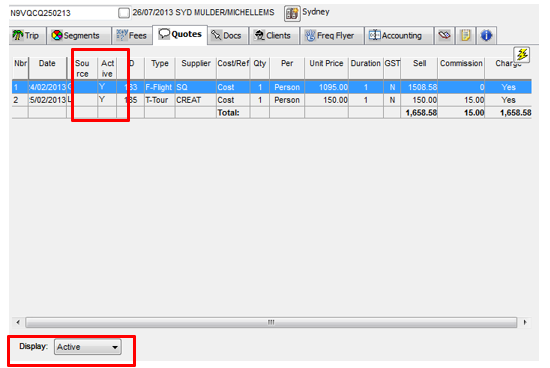
- Has a flag to identify the downloaded and manually created quotes.
- Has a flag to identify the active and inactive quotes.
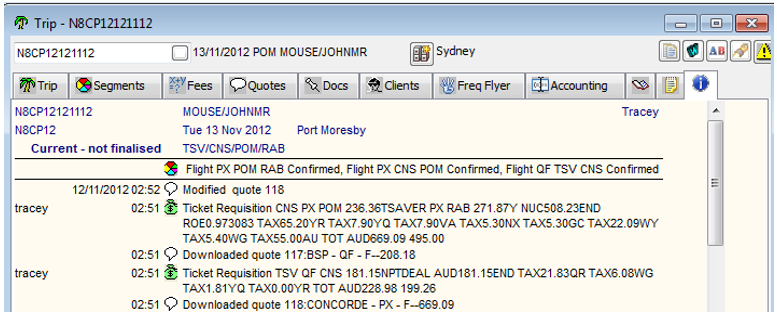
Tracks the addition, modification and deletion of all quotes in the Trip > Overview tab.
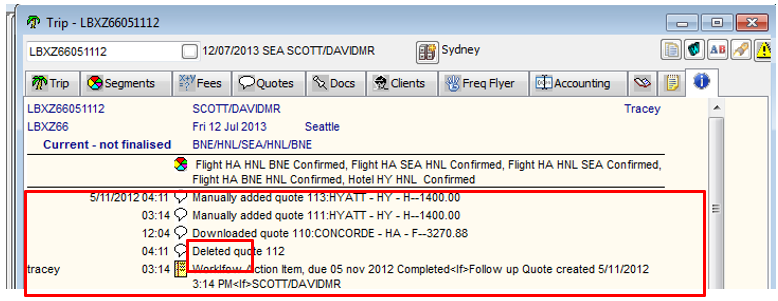
CCTE downloads filed fares regardless of fare type ie. Guaranteed, Expired, Invalid, Private fares, etc. The user should either delete the quote or make the quote Inactive if the quote is not required and wishes to keep a history of the quote.
- Discounts are not added in the quotes upon download and re-download. The user should manually add it to the downloaded quotes.
- Where the GD filed fare has been cancelled due to the changes in segment or PAX data the user should re-quote the Filed fares to download the updated data into a new CCTE quote.
- Where only the commission is updated in the filed fare that was previously downloaded to CCTE then the user should manually update the commission in the corresponding CCTE quote.
- The user should re-associate the segments with the quotes when prompted with the quotes maintenance after re-download.
- The user should delete the duplicate quotes when prompted with the Quotes Maintenance of duplicate quotes after re-download.
- Where filed fare in the host has been deleted, cancelled or invalidated then the user should make the corresponding CCTE quote as Inactive or should delete those no longer required.
- The user should refer the Trip-> Overview tab-page to track the quote activities like quote creation, modifications and deletions.
Note: In an alternative flow when a trip exists in CCTE with same record locator CCTE displays the new redownload filed fares checkbox on the ‘Select a Trip to re-download’ screen.
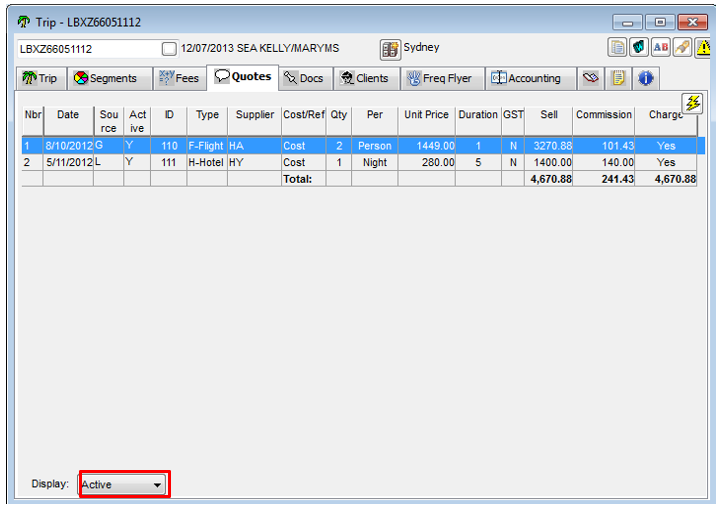
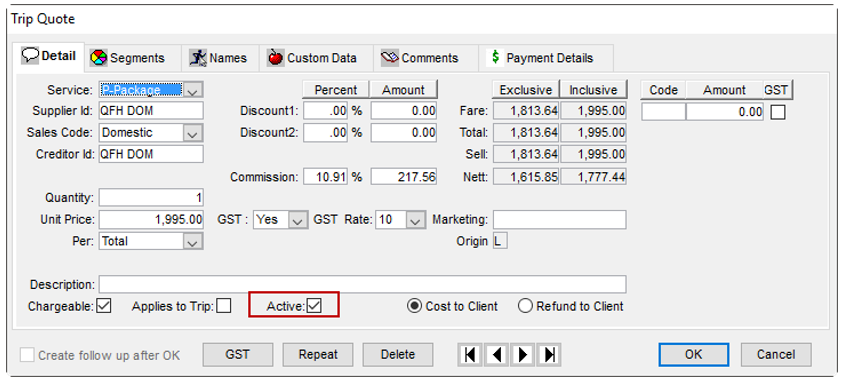
Ability to flag the CCTE quotes as Active or Inactive
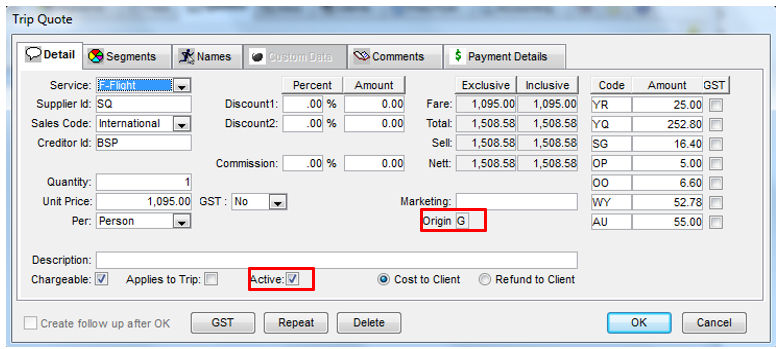
A checkbox “Active” is available within the quote to flag the quote as Active or Inactive
For manually created quotes this is checked by default.
Trips when opened show the last saved value.
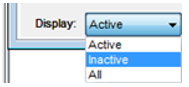
- If ‘Active’ is selected, only active quotes are displayed in the tab page. Quotes total is of the active quotes.
- If ‘Inactive’ is selected, only inactive quotes are displayed in the tab page. Quotes total is of the inactive quotes.
- If ‘All’ is selected then all quotes are displayed in the tab page. Quotes total is of all quotes.
Note: The purpose of inactive quotes is simply to enable a user to look at the historical quotes if required.
Note: The ticket and cheque requisition screen on manual creation from quotes displays only active quotes in Quote section.