
Skip To:
- Trips Tab
- Cards Tab
- Card Number Validation
- Corporate Credit Cards
- Credit Card Masking
- Invoice Form of Payment Screen
Trips Tab
The Trips tab is used to display a list of Trip files that have been linked to this Client File.
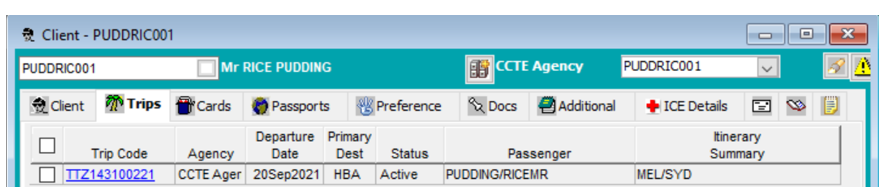
This screen provides a summary of all the trips undertaken by this client.
Double click on any of the Trips listed to open that Trip file. A dialogue box will appear asking if you wish to close the Client file prior to opening the Trip file, click Yes or No accordingly.
Cards Tab
The Cards tab is used to store the client’s personal and corporate credit card details.

It is possible to select the type of card available:
- P- Personal
- O- Corporate
Enter the Credit Card code in the Card Type field – or use the F12 key and select a code. The Number field should be filled in with the Credit Card Number. Fill in the Expiry Date and any notes can be entered into the Comment free text field.
Select the Service type that the card is to be used for, or if for all Service types, select All.
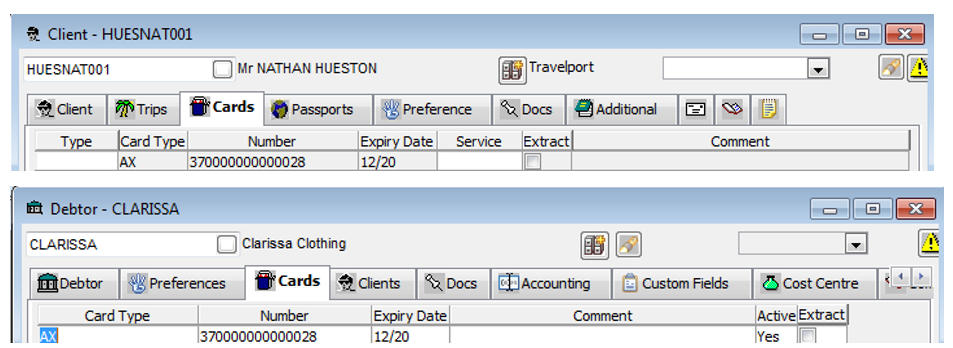
Note: If the client is linked to a Debtor file the credit card details will auto populate in the Cards tab of the client file.
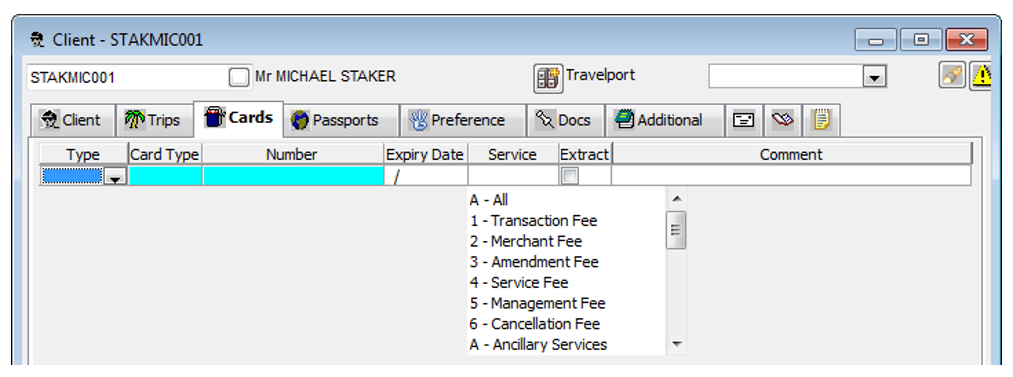
Multiple credit cards can be entered into a Client File. To add additional credit cards, create a new line by clicking on the New icon on the toolbar while the cursor is in this area, or press Ctrl+N.
Card Number Validation
Upon entering a Credit Card number it is validated using the Check Sum calculation. If the number is found to be invalid, a warning is displayed. This warning can be ignored if required, as the system does not prevent saving an invalid Credit Card Number.
Corporate Credit Cards
If a client has a corporate credit card, the card details should be entered through the Debtor file and are then made visible in the client file. This scenario is covered in the Debtor module, see Module 7: Debtor Module.
In order for Documents/CCCF Statement to be produced for a Debtor, the company credit card details must exist in both the client and the debtor files.
For details to appear on this document, in a Trip file a Receipt CCCF needs to be created using Card button and select the applicable card to be used. Receipt CCCF or Refund CCCF are the only transactions that appear on the CCCF Statement document and only when the Card button is used on creation of this transaction.
There is no money actually transferred anywhere as this receipt does not incur any accounting it is for recording purposes only, and the ticket/cheque that it relates to should also show 0.00 value.
Credit Card Masking
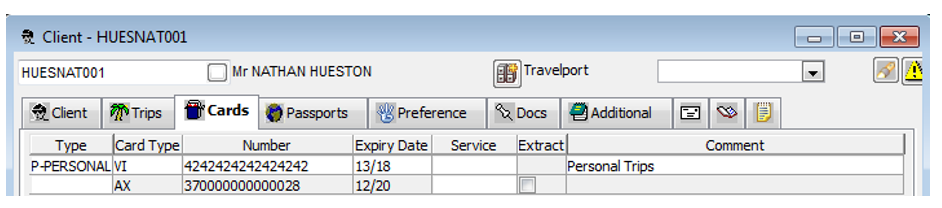
If PCI Compliance is activated in the supervisor settings, the Client Card details the card will be masked when retrieved.
When PCI Compliance is in use, updates cannot be made to existing stored Credit Card Numbers. To update a stored Credit Card on a Client File when PCI Compliance is in use, the row containing the old details needs to be deleted and create a new entry with the up-to-date Credit Card Details.
Once masking has been activated all credit cards in the system will display as per examples below:
Client Cards Tab
Debtor Receipt
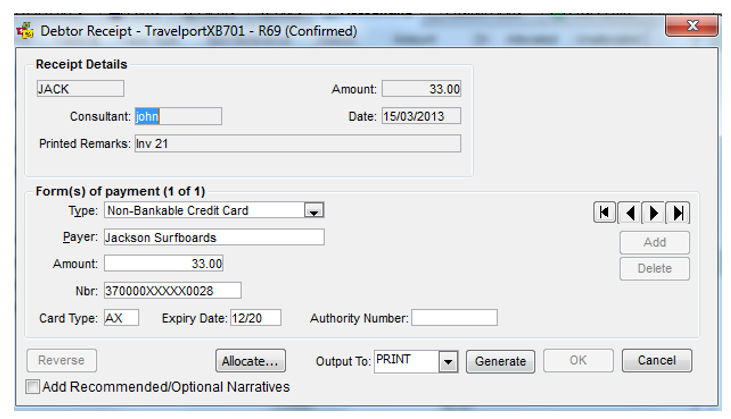
A manual Credit Card Number can be entered on the Debtor Receipt and it will automatically be masked.
On Invoice Details, Trip Receipt, Trip Refund and Trip Refund to Passenger screens the credit card number can be entered manually and it will automatically be masked.
On an Invoice from a downloaded PNR, the Credit Card Number cannot be manually updated and the number will be masked.
When selecting a card from a Dropdown, the credit card number will display as masked and cannot be updated.
Invoice Form of Payment Screen (FOP)
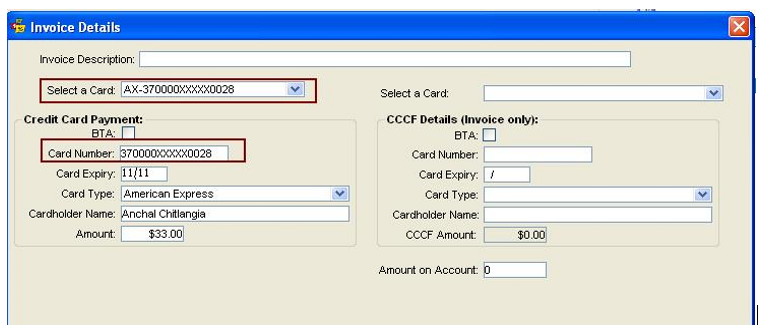
Note: This screen will only appear when Invoice Detail has been configured in the Branch by Supervisor.
There are instances when a Credit Card Number and expiry date may be entered randomly into a PNR notepad in Travelport Smartpoint. It is not recommended to do this as this does not conform to PCI compliancy.
Travelport also strongly recommends against storing Credit Card data in any unmasked fields in CCTE as this will not conform to PCI compliancy.