
Skip To:
Marketing Tab
The Marketing tab gives the consultant the opportunity to collect marketing information about their clients.
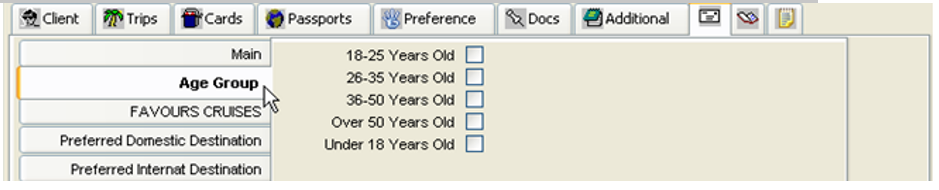
Different information types are accessible from the tabs on the left hand side. Two types: Main and Special Interest are initially provided with CCTE; however, additional types can be easily added.
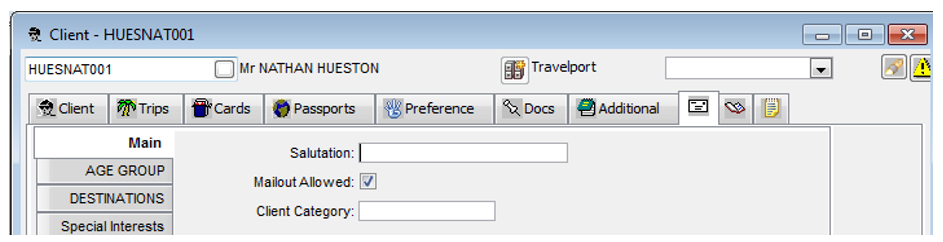
Main Tab
The Main tab contains basic information about the client and their acceptance of marketing materials.
- Complete the Salutation box with the form of address to be used in all documents, eg Mr
- The Mailout Allowed box should be ticked if the client wishes to receive marketing mail outs
- The Client Category field will have a selection list attached if your agency has entered client categories. Press F12 or double click in the Client Category field and select from the list
Adding New Tabs
All tabs other than the Main tab can have extra categories added, to collect pertinent information for your agency.
New tabs may also be created. For further details, see CCTE Finance User Guide,
Comments Tab
The Comments field is a free text area and should be used to store any general notes relating to a client. The information stored in this area is for reference only and does not print on documents.

To add a comment:
- Click on the Comments tab
- Type your note. To create additional lines click New or press Ctrl+N
- Click on the Save icon (or press Ctrl+S) on the toolbar
Workflow Action Items Tab
The Workflow Action Items tab is used to begin new alerts and to store all Action Items created for this file. For further detail, see "Action Items" in Module 3: MyCCT.
Important Notes Icon
The Important Notes icon is used to create and access Important Notes for this file. For further detail, see "Important Notes" in Module 3: MyCCT.