
You can save time creating new client files by using the Copy Client function.
This functionality is particularly useful when creating a new client file for a partner or business associate.
- To copy a Client file:
- Open the Client file to be copied
- Click Toolsin the menu toolbar
- Select Copy Client
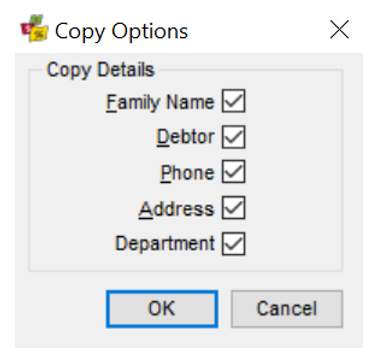
- A Copy Options dialogue will be displayed with all options marked for automatic inclusion
- If there are any areas not to be copied, untick them and click OK. A new client file will be created with the new Given Name marked as mandatory (blue)
- Enter the Given Name for the new client and click Save (Ctrl+S)
- All other personal details must be completed under the relevant tabs, as detailed in the Client file tabs section of this Client tab

Note: The Copy Client file function does not link the files together for upload