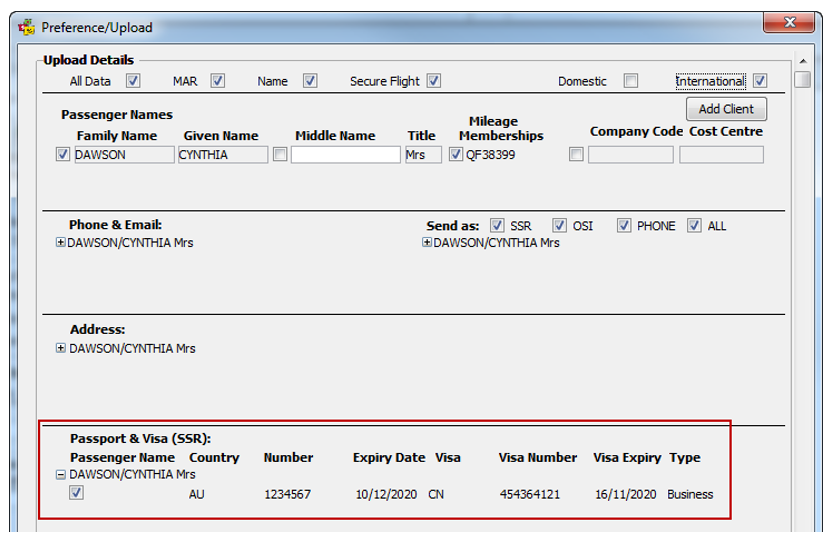
Where a PNR contains a flight that arrives/departs/transit through any city within USA or flies over USA territory, it is mandatory that specific details needs to be captured.
Skip To:
Nationality
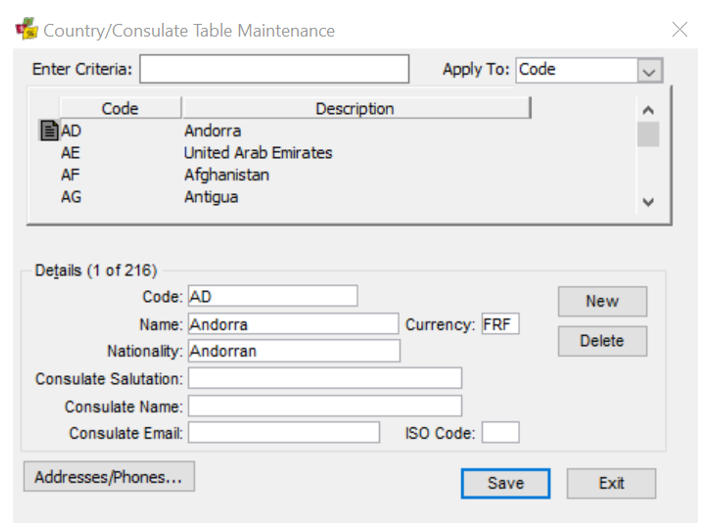
The Country/Consulate Table Maintenance screen requires Nationality to be added,
Middle Name
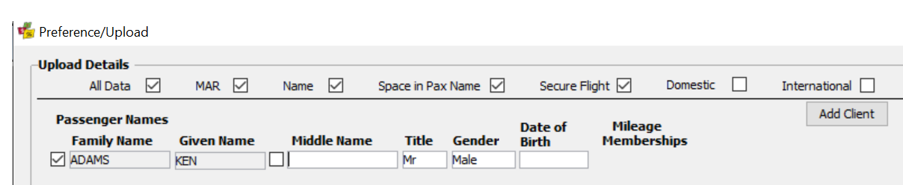
Middle Name needs to be added to Client file, it is not a Mandatory field and may only contain a maximum 30 characters. Birth Date is also required to be input into Client file.
A consultant is able to select/deselect the Client’s middle name in the Client Upload process. This gives the Consultant the option of uploading the full name for the passenger (to match passport for international travel) or first and last name only (for domestic travel).
Passport section requirements
|
Field |
Comments |
|
Nationality |
· Mandatory · Lookup table (Use the Nationality lookup table) · Length maximum 30 characters |
|
Birth City |
· Non Mandatory · Lookup Table (Use City Lookup Table) · Length maximum 12 characters |
|
Birth Country |
· Non Mandatory · Lookup table (Use the Country lookup table) |
Visa Section on Passport Tab
If Visa data is to be Uploaded from the Visa section on the Passport tab:
|
Field |
Comments |
|
Visa Issue City |
· Not Mandatory · Lookup table (City lookup table) · Length maximum 12 characters |
|
Issue Date |
· Text Box · Not Mandatory · Use current Format (DD-MM-YY)) |
|
Redress number |
· Text Box · Not Mandatory · Length maximum 13 Numeric |
|
Redress Issue City |
· Not Mandatory · Lookup table (City lookup table) · Length maximum 12 characters |
|
Unknown Traveller number |
· Text Box · Not Mandatory · Length maximum 25 Numeric |
|
Issue City |
· Not Mandatory · Lookup table (City lookup table) · Length maximum 12 characters |
The “Passenger Born”, “Issued In” (country) and “Issued On” (date) data is not required in the Secure Flight Data for Known Traveler in the SSR DOCO format in the PNR.
This modifies the existing SSR DOCO entry that is created for a known traveller. This SSR entry is created when the International/Secure flight flag has been selected on the Client Upload screen. Once the Upload button has been selected the SSR DOCO entry will send known traveller details to Travelport+ in the Secure Flight format.